The registry
The registry is your server's master list of Clash of Clans accounts: every account the bot has seen in your linked clans, plus any added by hand, along with each account's name, town-hall level, verification state, and Discord owner. The roster builder, signups, vetting, and flags all read from it.
It largely maintains itself — the bot polls your linked clans and keeps names, membership, and town halls current — but /registry dashboard (leadership) is where you manage it directly.
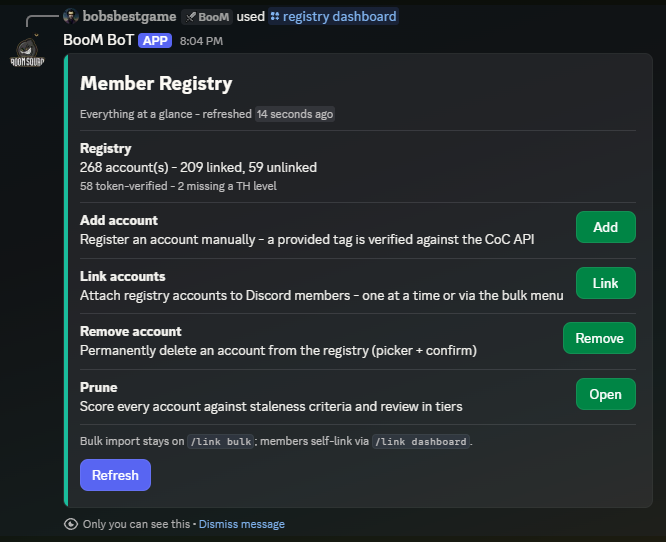
The dashboard
The home screen shows the headline numbers: total accounts, how many are linked, how many are verified, and how many are missing a town-hall level.
Add — register an account by tag. The bot verifies the tag against the game API and shows you the account it found before saving, so typos die here instead of on a roster.
Link — attach a Discord owner to an account. Pick from the unlinked list (paginated, searchable, with town hall and current clan shown per account) or force a link by raw tag. There is also a one-way handoff into the bulk link menu for volume work.
Remove — delete an account from the registry. Guild-scoped: removing an account here never touches another server's data.
Prune (admin) — sweep out stale accounts in bulk, such as accounts whose linked owner has left the server. The prune flow shows you exactly what it is about to remove and asks for confirmation first.
Registry vs. linking
The two overlap, and that is by design: the link dashboard is member-facing (self-service, claim board), while the registry dashboard is the leader's tool for the same data plus account lifecycle. Use whichever is closer to hand — links made in one show up in the other instantly.