Importing CWL history
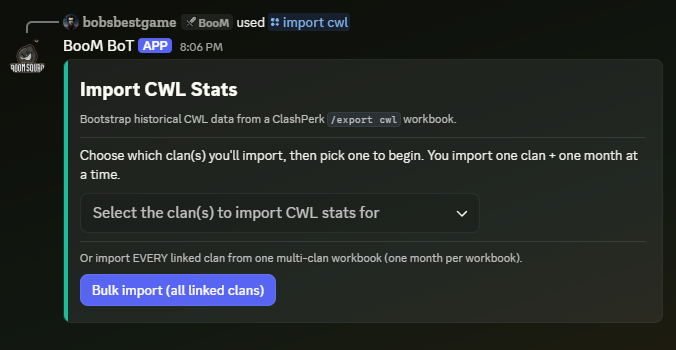
Vetting is only as good as its history, and a freshly-invited bot has none. /import cwl (leadership) bootstraps it from ClashPerk's CWL exports, so your first month with BooM BoT starts with real data instead of a blank slate.
What you need
A ClashPerk /export cwl workbook (.xlsx) for a completed season. The export contains a summary sheet plus per-round sheets; BooM BoT reads both, capturing season totals and every individual attack — including who sat on the bench each round.
Single-clan import
- Run
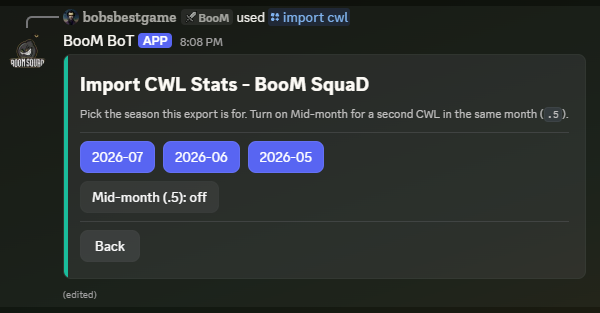
/import cwland pick the season month (the.5suffix works here too). - Upload the workbook.
- Confirm the clan and its league for that season, and import.
Bulk import
One ClashPerk export can contain your whole family. The Bulk import (all linked clans) path takes a single multi-clan workbook and walks you through one league dropdown per linked clan (preselected to each clan's current league). Clans in the file that aren't linked to your server are skipped with a note.
Rules worth knowing
- Import completed seasons only. An in-progress season's not-yet-attacked players would read as missed attacks.
- Live data wins. If the bot already captured a round live, the import skips that round rather than duplicating or overwriting it.
- Re-imports are safe. Importing the same season again simply refreshes it.
- A player who left mid-CWL reads as benched for the rounds after their departure — the spreadsheets cannot tell the difference.